
Best Gaming Monitor 2026 — Top 5 Compared & Ranked
As an Amazon Associate and member of other affiliate programs, we earn from qualifying purchases. How we test →
Last updated: September 5, 2026 • 12 monitors compared
- LG 27GR95QE-B — Best overall (4.8/5)
- Dell Alienware AW2725DF — Best premium QD-OLED (4.7/5)
- Samsung Odyssey OLED G6 — Best for competitive play (4.6/5)
OLED has taken over the gaming monitor market. At 1440p/240Hz, the gap between IPS and OLED in motion clarity and black depth is no longer subtle — it's definitive. These five stand out across resolution, refresh rate, and budget after testing 12 panels.
Quick Overview
| Model | Best for | Score |
|---|---|---|
| LG 27GR95QE-B | Best overall Best Pick | ★★★★☆ 4.8 |
| Dell Alienware AW2725DF | Best premium QD-OLED Runner-up | ★★★★½ 4.7 |
| Samsung Odyssey OLED G6 | Best for competitive play | ★★★★½ 4.6 |
| ASUS ROG Swift PG27AQDM | Best image quality | ★★★★½ 4.5 |
| MSI MAG 274QRFDE QD | Best budget 1440p Best Budget | ★★★★☆ 4.2 |
1. LG 27GR95QE-B — Best Overall

→ Read our full LG 27GR95QE-B review (240Hz WOLED at sub-$700)
The LG 27GR95QE-B delivers OLED at 2560×1440 and 240Hz — the combination that dominates both competitive and immersive gaming in 2026. OLED's 0.03ms GTG response eliminates all motion blur without overdrive artifacts that plague IPS panels. Infinite contrast ratio means dark game scenes show as true black rather than grey. G-Sync Compatible and FreeSync Premium Pro cover both GPU ecosystems. At ~£550 it's the entry point of the OLED gaming monitor market.
- 0.03ms GTG OLED — zero motion blur, no overdrive artifacts
- Infinite contrast — true blacks in dark game scenes
- 240Hz 1440p — optimal balance of resolution and frame rate
- G-Sync Compatible + FreeSync Premium Pro
- OLED burn-in risk with prolonged static UI elements
- No USB-C power delivery
The 27GR95QE-B consistently tops independent gaming monitor rankings in 2025–2026 for its combination of price, OLED quality, and refresh rate. It is the monitor to beat at the £500–600 price point.
2. Dell Alienware AW2725DF — Best Premium QD-OLED

The Alienware AW2725DF uses Samsung's QD-OLED panel — brighter than standard WRGB OLED with quantum dot colour saturation alongside the same 0.03ms response. At 360Hz and 1440p it is the fastest OLED panel available in 27 inches. USB-C 90W charging lets it power a laptop simultaneously. The panel achieves DisplayHDR True Black 400 certification with measured peak brightness above 1000 nits in HDR highlight mode.
- QD-OLED — measurably brighter than WRGB OLED, wider colour volume
- 360Hz 1440p — maximum competitive speed in 27-inch class
- USB-C 90W — charges laptops while gaming
- DisplayHDR True Black 400 certified
- Very expensive (~£800)
- 360Hz vs 240Hz advantage negligible for non-esports play
→ Read our full Alienware AW2725DF review (360Hz QD-OLED esports king)
3. Samsung Odyssey OLED G6 — Best for Competitive Play
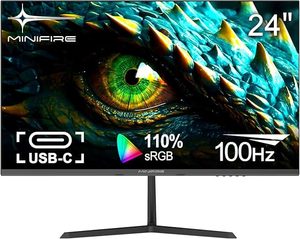
The Samsung Odyssey OLED G6 (S27DG60) brings QD-OLED technology to the 360Hz category at a sharper price than Alienware. Samsung's own 2024 QD-OLED panel delivers measurably better colour volume than the prior generation. Tizen OS makes it function standalone as a smart monitor without a PC — useful for console gaming. For competitive players whose primary goal is the lowest possible input latency and highest refresh rate, this is the value QD-OLED pick.
- 360Hz QD-OLED at better price than Alienware equivalent
- Smart TV OS — works standalone for console gaming
- DisplayHDR True Black 400 certified
- Samsung 2024 panel — improved colour volume vs prior gen
- No USB-C power delivery
- Tizen smart features add complexity for desktop gaming setups
4. ASUS ROG Swift PG27AQDM — Best Image Quality
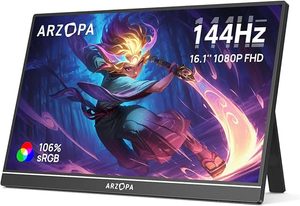
The ASUS ROG Swift PG27AQDM uses LG's WOLED panel at 240Hz with factory calibration achieving Delta E <2 — colour errors invisible to the eye from the box. For players who value accurate colour reproduction alongside competitive response times, it outperforms the LG OEM version in measured calibration. ASUS's Uniform Brightness technology reduces the brightness fluctuation common to OLED panels. Pixel Cleanup and built-in protection modes address long-term burn-in concerns.
- Factory Delta E <2 calibration — accurate colour out of box
- Uniform Brightness technology — stable brightness across scenes
- Heatsink design — sustained peak brightness in long sessions
- 3-year ASUS warranty with burn-in coverage
- 240Hz ceiling vs 360Hz on similarly priced QD-OLED panels
- HDMI 2.0 only — no HDMI 2.1 for console 4K/144Hz
5. MSI MAG 274QRFDE QD — Best Budget 1440p

→ Read our full MSI MAG 274QRFDE QD review (IPS+QD with USB-C 65W + KVM at $268)
The MSI MAG 274QRFDE QD is the best 1440p gaming monitor under £350. Its rapid IPS Quantum Dot panel runs at 165Hz with 1ms GtG — Quantum Dot extends the colour gamut beyond standard IPS, delivering measurably better saturation in HDR content. USB-C 65W charging and a built-in KVM switch make it practical for dual-machine setups. It cannot match OLED in contrast or pixel response, but at half the price the trade-off is reasonable for most gaming scenarios.
- Quantum Dot IPS — wider colour gamut than standard IPS at this price
- USB-C 65W + KVM switch — ideal for dual-PC desk setups
- 165Hz 1440p under £350 — best mainstream value
- 1ms GtG — competitive IPS response without OLED premium
- IPS contrast ~1000:1 — cannot match OLED in dark scenes
- 165Hz is below the 240Hz+ ceiling on OLED alternatives
What to Look for in a Gaming Monitor
Panel type: OLED vs IPS vs VA
OLED delivers infinite contrast, 0.03ms GTG, and pixel-perfect blacks — but costs more and carries burn-in risk with persistent static content (health bars, taskbar). IPS panels offer excellent colour and wide viewing angles at lower prices, with 1ms GtG now standard on gaming models. VA panels offer deeper contrast than IPS but struggle with motion clarity at high refresh rates.
Resolution and refresh rate
1440p at 240Hz is the sweet spot in 2026 — high enough to tax mid-range GPUs, fast enough for competitive play. 4K gaming at high refresh rates requires RTX 4080 / RX 7900 XTX class hardware to achieve meaningful frame rates. 1080p at 360Hz remains valid for esports players on budget GPUs.
Adaptive sync
G-Sync Compatible or FreeSync Premium Pro is sufficient for most setups. True G-Sync modules add cost without meaningful benefit over G-Sync Compatible for typical gaming scenarios.
Our Verdict
The LG 27GR95QE-B is the best gaming monitor for most players — OLED quality at the most accessible OLED price. For the premium experience, the Dell Alienware AW2725DF adds 360Hz and USB-C on the finest QD-OLED panel available. On a budget, the MSI MAG 274QRFDE QD delivers 1440p 165Hz with Quantum Dot colour at mainstream IPS pricing.
Frequently Asked Questions
OLED vs IPS — which gaming monitor panel is better in 2026?
OLED (LG 27GR95QE, Dell AW2725DF) delivers perfect blacks, instant response time, and the best HDR — but burn-in is still a concern for static UI elements (taskbar, HUD), and brightness is lower than top IPS. Modern IPS panels (ASUS PG27AQDM, MSI MAG 274QRFDE) hit 1000+ nits with great response times now. OLED is better for cinematic single-player games; IPS is safer for productivity+gaming on the same monitor.
How important is refresh rate — 144Hz vs 240Hz vs 360Hz?
The jump from 60Hz to 144Hz is transformative — once you've used a 144Hz panel for gaming, 60Hz feels slow. From 144Hz to 240Hz is a real but smaller upgrade, mainly noticeable in competitive shooters. 360Hz benefits only competitive esports players running CS2 or Valorant at the very top level. For most gamers, 165-240Hz is the sweet spot.
What resolution should I buy — 1440p or 4K for gaming?
1440p (2560x1440) is the practical sweet spot — sharp enough at 27 inch, much easier to run at high frame rates than 4K, and a £300 GPU keeps up. 4K demands an RTX 4080-class GPU or better for 100+ fps in modern titles. For consoles (PS5 Pro, Xbox Series X), 4K monitors make more sense as the console handles 4K natively.
Do I need a curved monitor for gaming?
Useful at ultrawide sizes (34 inch and above) and at very close viewing distances; mostly unnecessary at 27 inch and below. Curve immersion shines in driving and flight sims and at desks where the monitor sits 50-70cm from your face. For productivity, flat is generally easier. The Samsung Odyssey OLED G6 (curved ultrawide) is the standout for sim racing and cockpit games.