
Best Gaming Monitor 2026 — Top 5 Compared & Ranked
As an Amazon Associate and member of other affiliate programs, we earn from qualifying purchases. How we test →
Last updated: September 5, 2026 • 9 monitors compared
- Alienware AW2723DF — 27" QD-OLED 1440p (4.9/5)
- LG 27GP850-B — 27" Nano IPS 1440p (4.6/5)
- ASUS ROG Swift Pro PG248QP — 24.1" TN 1080p (4.5/5)
A gaming monitor with a high refresh rate and fast response time is one of the most impactful upgrades for competitive gaming. After comparing 9 monitors from 1080p to 4K, these five deliver the best performance across every category.
Quick Overview
| Model | Panel | Refresh Rate | Score |
|---|---|---|---|
| Alienware AW2723DF Best Pick | 27" QD-OLED 1440p | 360Hz | ★★★★☆ 4.9 |
| LG 27GP850-B Runner-up | 27" Nano IPS 1440p | 180Hz | ★★★★½ 4.6 |
| ASUS ROG XG248QSG | 24.1" TN 1080p | 540Hz | ★★★★½ 4.5 |
| Samsung Odyssey Neo G7 32" | 32" VA 1440p Curved | 240Hz | ★★★★½ 4.3 |
| LG 27GS95QE-B | 27" OLED 1440p | 240Hz | ★★★★½ 4.7 |
1. Alienware AW2723DF — Best Overall
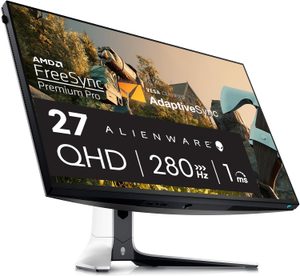
The Alienware AW2723DF combines QD-OLED panel technology with a 360Hz refresh rate — the best combination of image quality and competitive performance available. QD-OLED delivers perfect blacks, near-instant response times (0.03ms), and vivid colours that IPS and VA panels can't match. At 1440p, it's the ideal resolution for RTX 4070/4080-class GPUs. The best gaming monitor money can buy in 2026.
- QD-OLED — perfect blacks and vivid colours
- 360Hz refresh rate for ultra-smooth competitive play
- 0.03ms response time
- 1440p resolution — sweet spot for modern GPUs
- Very expensive (~£800–1,000)
- OLED burn-in risk with static elements long-term
QD-OLED panels have transformed the top end of gaming monitors. The AW2723DF's contrast ratio and response time are in a completely different class to IPS — particularly noticeable in dark environments and competitive shooters where shadow visibility matters.
2. LG 27GP850-B — Best Value 1440p
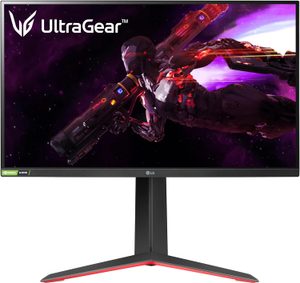
The LG 27GP850-B uses Nano IPS technology to deliver wider colour gamut and better viewing angles than standard IPS, with a 180Hz refresh rate and 1ms response time. At around $360, it's the best value 1440p gaming monitor available — used by many professional esports players as their daily driver monitor for good reason. Compatible with both G-Sync and FreeSync.
- Nano IPS — better colours and angles than standard IPS
- 180Hz refresh rate at 1440p
- Compatible with G-Sync and FreeSync
- Excellent value at ~£350
- Not OLED — contrast below Alienware AW2726DM
- Blooming around bright objects on dark backgrounds
3. ASUS ROG Swift Pro PG248QP — Best for Competitive FPS
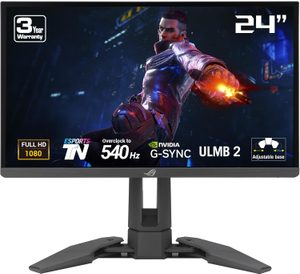
ASUS has replaced the 540Hz PG248QP with the XG248QSG, which runs at 610Hz — the highest refresh rate on any gaming monitor you can buy. At 1080p over 24 inches, it exists for professional CS2 and Valorant players who want frame rate above everything else, and for nobody else: at this pixel density on this panel type, the image is a means to an end. Around $800. The fast pixel response of the panel technology. Not for casual gaming — this is a specialist tool for competitive esports.
- 540Hz — highest refresh rate available
- TN panel fastest pixel response
- Used by professional esports players
- TN panel — inferior colour and viewing angles vs IPS
- 1080p only — not suitable for visual work
4. Samsung Odyssey G7 32" — Best Curved Gaming Monitor
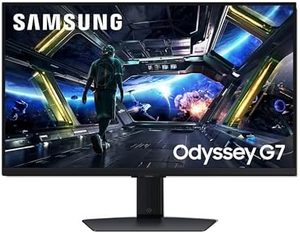
Samsung has moved the 1440p G7 on; the Neo G7 keeps the 1000R curve that made it worth buying and goes to 4K at 165Hz with Mini-LED backlighting. That curve still wraps convincingly around your field of vision in racing and open-world games, and Quantum HDR2000 is a real step up on the old panel's HDR600 rather than a marketing number. Around $640. The VA panel delivers better contrast than IPS at this price. For single-player immersive gaming, the G7's large curved surface is hard to match.
- 1000R curve — highly immersive for gaming
- VA panel with better contrast than IPS
- 240Hz at 1440p
- HDR600 support
- VA panel has slower response than IPS for competitive play
- 1000R curve too aggressive for productivity work
5. LG 27GS95QE-B — Best OLED Value
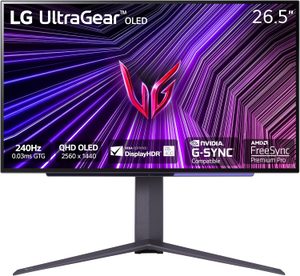
The LG 27GS95QE-B brings OLED panel technology to a more accessible price point (~£600). 240Hz, 1440p, and LG's WOLED panel deliver perfect blacks and 0.03ms response. OLED uniformity is excellent, and the anti-glare coating is better than the Alienware's at preventing reflections. For those who want OLED image quality without the Alienware premium price, this is the smart pick.
- OLED panel — perfect blacks and 0.03ms response
- More affordable than Alienware AW2726DM
- Better anti-glare coating
- 240Hz at 1440p
- 240Hz — lower than Alienware's 360Hz
- WOLED slightly less saturated than QD-OLED
What to Look for in a Gaming Monitor
Refresh rate
60Hz is the minimum for gaming, but 144Hz is where gaming feels genuinely smooth. 165–180Hz is the sweet spot for most gamers. 240Hz provides a meaningful advantage in competitive shooters. 360Hz+ is for professional esports players who can consistently hit those framerates.
Panel technology
IPS panels offer the best colour accuracy and viewing angles with fast response times — the best all-rounder for mixed gaming and productivity. VA panels have better contrast but slower response times — better for single-player immersive gaming. OLED (including QD-OLED and WOLED) offers perfect contrast and fastest response times, at a premium price with burn-in risk.
Resolution
1080p is adequate for 24" monitors but looks soft on 27"+. 1440p is the sweet spot for 27" monitors and modern GPU capabilities. 4K delivers stunning visuals but requires a top-tier GPU (RTX 4080/4090) to run at high refresh rates.
Variable refresh rate
G-Sync (NVIDIA) or FreeSync (AMD) eliminates screen tearing by syncing the monitor's refresh rate to your GPU's frame output. Most modern gaming monitors support both. An essential feature for any gaming monitor purchase.
Our Verdict
The Alienware AW2723DF is the best gaming monitor available — QD-OLED at 360Hz is the combination no other panel technology can match. For more accessible OLED quality, the LG 27GS95QE-B at ~£600 is the smarter buy. For competitive esports on a budget, the LG 27GP850-B at ~£350 remains one of the best value 1440p gaming monitors available.
Frequently Asked Questions
Do I need a 240Hz gaming monitor for competitive gaming?
For competitive FPS at the top level (CS2, Valorant, Apex Legends, Fortnite competitive): yes, 240Hz minimum. The frame-time consistency at 240Hz reduces motion blur and provides a measurable competitive edge over 144Hz. For ranked play at intermediate levels, 144-165Hz is sufficient. The ASUS ROG Swift Pro PG248QP (480Hz) is overkill for almost everyone except pro esports players.
1ms response time — is this important?
Yes but the spec is often misleading. Modern IPS panels (LG 27GP850-B) achieve true 1ms gray-to-gray in practice; older IPS claims of 1ms were marketing inflation. TN panels achieve 1ms easily but have worse color and viewing angles. OLED panels (Alienware AW2723DF) achieve sub-1ms instantly — the best for motion clarity. For competitive gaming, focus on response time consistency rather than the marketed minimum.
Should I get a curved gaming monitor?
At ultrawide sizes (34-49 inch), yes — the curve matches your eye's natural focal range. At 27 inch and below, flat is better — curved 27" monitors are gimmicky. The LG 27GP850-B (flat 27") suits twitch shooters. The Alienware AW3423DW (curved 34" ultrawide) excels at single-player and sim racing where peripheral immersion matters.
G-Sync vs FreeSync — which adaptive sync should I prioritise?
Both work well in 2026. G-Sync (Nvidia) historically required dedicated hardware; G-Sync Compatible certification now means it works on any FreeSync display Nvidia has tested. FreeSync (AMD) is the open standard, works on most modern monitors. For Nvidia GPUs (most gamers): a G-Sync Compatible monitor with FreeSync is ideal — works with both ecosystems. The LG 27GP850-B and Alienware AW2723DF both support this.