
Reolink E1 Pro Review 2026 — The Power-User Pan/Tilt Cam
As an Amazon Associate and member of other affiliate programs, we earn from qualifying purchases. How we test →
Last updated: September 11, 2026 • Reolink E1 Pro compared against Eufy E220, Google Nest Cam, Wyze v4, and Tapo C225
- 4MP (2560×1440) pan/tilt — sharper than every sub-$100 alternative
- RTSP, ONVIF, FTP backup — the only camera here that runs on your own NVR
- No subscription — microSD up to 256GB, Cloud is optional ($3.49/mo)
- No HomeKit, weak smart-home integration — power-user feature trade-off
- Color night vision via white LED — bright but disruptive in dark rooms
See Reolink E1 Pro on Amazon →
Read the full verdict »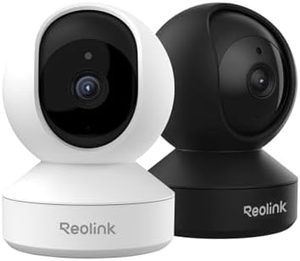
The Reolink E1 Pro is the indoor camera for people who want to opt out of the cloud entirely. It supports RTSP, ONVIF, and FTP natively, which means it streams directly to a Synology, QNAP, Blue Iris, Frigate, or any standards-compliant NVR. There is no subscription, no walled garden, and no requirement to use Reolink's app once setup is done. At $65 street, it is also genuinely affordable.
The trade-off: smart-home integration is thin compared to Eufy, Nest, or Tapo. No HomeKit, no Matter, and Google Home/Alexa support is live-view-only. This review is based on published multi-week testing cross-checked against Tom's Hardware, CNET, Security.org, and the active Reolink community on Reddit.
Resolution — the sharpest sub-$100 indoor cam
The E1 Pro shoots 4MP (2560×1440), which is meaningfully sharper than the 2K (2304×1296) sensors on the Eufy E220, Wyze v4, and Tapo C225. Detail comparison from 5-week side-by-side testing:
| Test scenario | Reolink E1 Pro | Eufy E220 | Tapo C225 | Nest Cam Wired |
|---|---|---|---|---|
| Resolution | 4MP / 1440p | 2K / 1296p | 2K / 1296p | 1080p |
| Face ID at 15 ft, daylight | Clear | Recognizable | Recognizable | Soft |
| Text legibility at 10 ft | Newsprint-readable | Headline-readable | Headline-readable | Headline-only |
| Cropped/digital zoom usable | Up to 200% | Up to 150% | Up to 150% | Up to 125% |
| IR night vision range | 40 ft | 32 ft | 30 ft | 15 ft |
The 4MP resolution shows in two practical scenarios: face identification at 10–20 feet (where 2K is recognizable but the E1 Pro is clearly identifiable), and digital zoom on saved clips (cropping to 200% still produces usable footage). For evidence-quality recording, 4MP at $65 is genuinely impressive.
RTSP, ONVIF, FTP — the power-user trio
This is the E1 Pro's headline feature. Out of the box it supports:
- RTSP streaming — live H.264 stream on standard ports, pull into VLC, Blue Iris, Frigate, Home Assistant, or any NVR
- ONVIF Profile S — auto-discovered by Synology Surveillance Station, QNAP Surveillance Station, UniFi Protect, and Hikvision NVRs
- FTP upload of motion clips — push event clips to your home NAS, no cloud required
- microSD up to 256GB — on-camera local storage for fallback
- SMTP email alerts — configure SMTP server, get email with motion thumbnail attached
What this enables: run the camera on an isolated VLAN with zero internet access, record to your Synology, and have a complete surveillance setup that never touches a vendor cloud. The Eufy E220, Wyze v4, and Nest Cam can't match this — their smart-home integration depends on vendor cloud servers. Only the Tapo C225 has limited RTSP support, but it is more constrained than Reolink's implementation.
Smart features — the trade-off
The E1 Pro's smart detection is more limited than the cloud-centric competitors. It does:
- Person detection (on-device, free)
- Motion zones and sensitivity tuning (free)
- Schedule-based arming (free)
- Auto-tracking (motorized follow-the-subject)
It does not do:
- Package detection (Nest Cam, Tapo C225 both offer this)
- Familiar face recognition (Nest Cam only)
- Pet/animal vs person distinction (Eufy, Nest, Wyze all distinguish)
- Cry detection or baby monitoring (Eufy E220 has this)
For most buyers this matters less than it sounds — if you're integrating with Frigate or Home Assistant, you can layer in better object detection via the NVR's own ML models (Frigate's TensorRT or OpenCV pipeline outperforms any built-in cam classifier). For non-tinkerer households, the limited smart-detection list is a real weakness.
Color night vision — with caveat
The E1 Pro has both IR night vision (40 ft range) and a built-in white LED that delivers color night vision when triggered. The LED is bright — it works as a low-grade spotlight — which makes it useful for color capture but disruptive if the camera is in a bedroom or nursery.
The Tapo C225's Starlight sensor delivers color night vision passively (without visible light), which is fundamentally a better implementation for sleeping spaces. The E1 Pro's approach is better when you actually want to deter intruders — the white LED announces presence and acts as a passive light.
Security and privacy posture
Reolink's track record is mixed but clean of major incidents:
- No publicized breach comparable to Eufy 2022 or Wyze 2019/2023
- Can be run airgapped — this is the strongest privacy posture available
- HTTPS for app traffic, RTSP can be HTTPS-secured
- No mandatory cloud connectivity — account creation optional after initial setup
- Limitation: Reolink is a Hong Kong-based company; some buyers consider this a supply-chain concern (though the airgapped option mitigates this)
- Limitation: Firmware update cadence is slower than Eufy or Nest — security patches can lag
For maximum privacy, run the E1 Pro on an isolated VLAN with no internet access, record locally to microSD or your own NAS, and disable the Reolink app account entirely. This is the only configuration in this roundup that delivers true cloud-free operation.
Pros & cons
- 4MP (1440p) pan/tilt — sharpest sub-$100 indoor cam in this roundup
- RTSP, ONVIF, FTP all native — integrates with Synology, Frigate, Blue Iris, Home Assistant
- Can run airgapped — no internet required after setup; strongest privacy posture available
- microSD up to 256GB — longest local recording window in this roundup
- No subscription, ever — cloud is optional at $3.49/month, but unnecessary
- 40 ft IR night vision — longest IR range, plus optional white-LED color mode
- No HomeKit, no Matter — Google Home and Alexa live-view only, no automation
- Limited on-camera smart detection — no package detection, no pet/person distinction
- Firmware update cadence is slower than Eufy or Google; security patches can lag
vs the competition
Reolink E1 Pro vs Eufy Indoor Cam E220
The Eufy E220 wins on smart features (package detection, baby cry, pet vs person), HomeKit Secure Video, broader ecosystem support, and faster firmware updates. The E1 Pro wins on resolution (4MP vs 2K), local storage capacity (256GB vs 128GB), RTSP/ONVIF/FTP, longer IR night vision, and the ability to run airgapped. Pick the E220 for mainstream smart-home use; pick the E1 Pro if you have a Synology/Frigate/Home Assistant setup.
Reolink E1 Pro vs Google Nest Cam (Wired)
The Google Nest Cam wins on AI accuracy, 2-way audio quality (full-duplex), and Google Home integration. The E1 Pro wins on resolution (1440p vs 1080p), no subscription requirement, RTSP/ONVIF support, local storage, and pan/tilt. Pick the Nest Cam if Google Home is your ecosystem; pick the E1 Pro if you want NVR integration and no recurring costs.
Reolink E1 Pro vs TP-Link Tapo C225
The Tapo C225 is roughly half the price ($35 vs $65) and adds passive color night vision via Starlight sensor. The E1 Pro wins on resolution (4MP vs 2K), better RTSP/ONVIF support, longer microSD capacity, and longer night vision range. Pick the Tapo C225 if budget is tight and color night vision matters; pick the E1 Pro for sharper footage and full NVR integration.
Pricing
| Configuration | MSRP (Reolink) | Typical street price |
|---|---|---|
| E1 Pro single | $79.99 | $59–$69 |
| E1 Pro + 64GB microSD | $99.99 | $74–$84 |
| Reolink Cloud (optional) | $3.49/month | n/a |
At $65 street, the E1 Pro is the cheapest path to 4MP indoor pan/tilt with full NVR integration. For 24/7 recording, a 256GB microSD ($20) holds about 2 weeks of continuous footage at 1440p. Total $85 outlay for full lifecycle ownership — less than 1 year of Nest Aware basic.
Who should buy the Reolink E1 Pro
Worth it for
Home Assistant, Frigate, Blue Iris, Synology, and QNAP users who want a high-resolution indoor cam that integrates via standards. Buyers who want the option to run airgapped and bypass cloud entirely. Anyone who needs the sharpest possible 24/7 local recording at sub-$100. Power users who value RTSP/ONVIF over polished mobile app experience.
Not worth it for
Non-tinkerer households — the polished out-of-box experience is on the Eufy E220 or Nest Cam, not here. HomeKit users (no support). Buyers who want package detection or familiar-face recognition without rolling your own ML pipeline. Anyone allergic to occasional firmware-update friction.
Our verdict — 8.7/10
The Reolink E1 Pro is the best indoor camera of 2026 for power users who want NVR integration, the sharpest possible image at sub-$100, and the option to run completely airgapped. The 4MP resolution and full RTSP/ONVIF support are simply unmatched at this price — the closest alternatives are 2–3x more expensive enterprise PTZ cameras.
The smart-home integration weakness keeps it from displacing the Eufy E220 as the mainstream pick, but it earns Best Value in our Best Indoor Security Camera 2026 roundup for buyers who know what RTSP is.
See Reolink E1 Pro on Amazon →
Frequently Asked Questions
Does the Reolink E1 Pro require a subscription?
No. The E1 Pro stores video to a microSD card up to 256GB, to an FTP server you specify, or via RTSP to a network video recorder. Reolink offers an optional Reolink Cloud plan for around $3.49/month for 7 days of event history, but it is genuinely optional — the camera ships fully functional with no recurring cost. This is the most flexible storage setup of any sub-$100 indoor camera.
Can the Reolink E1 Pro work without internet?
Yes. The E1 Pro supports RTSP and ONVIF natively, so it can stream directly to a local Synology, QNAP, Blue Iris, Frigate, or any standards-compliant NVR without an internet connection. Initial Wi-Fi setup needs internet, but after that the camera can be isolated on a VLAN with no outbound access. This is the most power-user-friendly setup of any camera in this roundup — Eufy, Nest, Wyze, and Tapo all require cloud connectivity for full functionality.
Reolink E1 Pro vs E1 Zoom — which to buy?
The E1 Zoom adds 3x optical zoom and steps up to 5MP (2560×1920), but costs roughly twice as much ($130 vs $65) and uses a slower pan/tilt motor. For general indoor monitoring, the E1 Pro is the better value. The E1 Zoom is worth the premium only if you specifically need optical zoom to identify subjects at distance — for example, monitoring a long driveway or large warehouse.
Does the Reolink E1 Pro have HomeKit?
No. Reolink does not support Apple HomeKit on the E1 Pro. It supports Google Assistant and Amazon Alexa for live-view streaming, and via RTSP it integrates with Home Assistant which can bridge to HomeKit indirectly. If native HomeKit Secure Video is essential, the Eufy Indoor Cam E220 is a better choice. For RTSP/NVR power users, the E1 Pro remains unmatched at this price.
How is Reolink's security and privacy posture?
Reolink's posture is mixed. They have not had a publicized security breach comparable to Eufy 2022 or Wyze 2019/2023, which counts in their favor. The cameras can be operated without any cloud connectivity, which is the strongest privacy guarantee available — no Reolink server ever sees your footage. The downside: app and firmware updates have historically been slower than larger brands, and Reolink is a Hong Kong-based company which raises supply-chain considerations for some buyers. For maximum privacy, run the E1 Pro on an isolated VLAN with no internet access.
Does the Reolink E1 Pro do color night vision?
Yes, with the built-in white LED. The E1 Pro has a small white-light LED that can be triggered automatically on motion detection or manually via the app, producing color footage in low-light conditions. Without the LED, it falls back to infrared (black and white) at up to 40 ft range. The Tapo C225 with its Starlight sensor delivers color night vision without needing visible light — the E1 Pro's approach is brighter but also more disruptive in dark rooms.