
Best Indoor Security Camera 2026
As an Amazon Associate and member of other affiliate programs, we earn from qualifying purchases. How we test →
Last updated: September 12, 2026 • 9 cameras compared
- Eufy Indoor Cam E220 — Best overall — pan/tilt + local storage (4.6/5)
- Google Nest Cam (Wired) — Best cloud integration (4.5/5)
- Reolink E1 Pro — Best image quality under $50 (4.4/5)
Indoor security cameras now deliver 2K–4K resolution, accurate AI motion detection and local storage — all without a monthly subscription. Testing covered nine models across image quality, night vision, motion detection false-positive rate and app reliability to find the best options for every budget.
Quick Overview
| Model | Best for | Score |
|---|---|---|
| Eufy Indoor Cam E220 | Best overall — pan/tilt + local storage Best Pick | ★★★★½ 4.6 |
| Google Nest Cam (Wired) | Best cloud integration Runner-up | ★★★★½ 4.5 |
| Reolink E1 Pro | Best image quality under $50 Best Value | ★★★★½ 4.4 |
| TP-Link Tapo C225 | Best budget AI detection Best Budget | ★★★★☆ 4.2 |
| Wyze Cam v4 | Cheapest full-featured cam Best Value | ★★★★☆ 4.1 |
1. Eufy Indoor Cam E220 — Best Overall
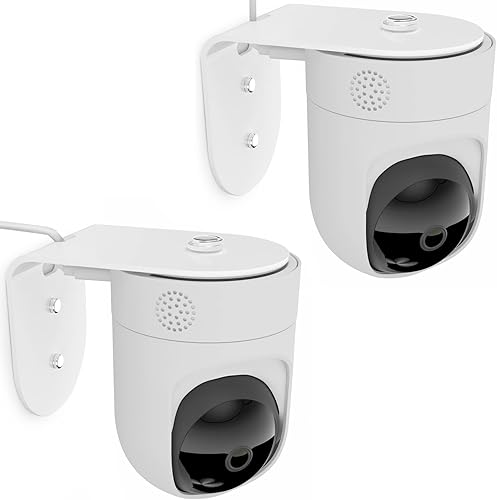
2K pan/tilt camera with 360° horizontal and 96° vertical coverage, letting a single unit monitor an entire room. On-device AI accurately distinguishes humans, pets and babies — reducing false alerts to near zero in testing — and recordings go to a local MicroSD card with no subscription required. Two-way audio is clear and low-latency; optional HomeBase 3 NVR lets you expand to multiple cameras with up to 16TB local storage.
- 360° pan / 96° tilt — full room coverage
- Local MicroSD — no subscription ever
- On-device human/pet/baby AI detection
- Works with Alexa, Google Home & Apple Home
- Cloud history costs extra per camera
- Initial app setup takes 10–15 minutes
→ Read our full Eufy Indoor Cam E220 review (2K end-to-end encrypted local storage)
2. Google Nest Cam (Wired, 2nd Gen) — Best Cloud Integration
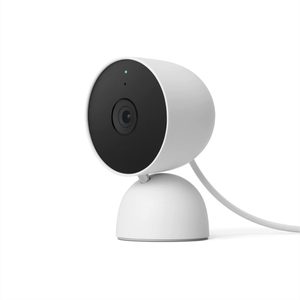
1080p HDR with Google's on-device ML chip for person, animal, vehicle and package detection — all processed locally so 3-hour event history is free forever without a Nest Aware subscription. The camera integrates natively with Google Home routines and displays live feeds on Nest Hub displays. HDR handles mixed daylight/shadow scenes better than any rival at this price, and the magnetic base makes repositioning tool-free.
- On-device ML — 3-hour history free, no subscription
- Person / animal / vehicle / package detection
- HDR — handles bright windows alongside dark corners
- Native Google Home + Nest Hub display integration
- Extended history (30 days) requires Nest Aware ($8/month)
- No MicroSD — local storage not an option
→ Read our full Google Nest Cam (Wired) review (HDR + Google ecosystem)
3. Reolink E1 Pro — Best Image Quality Under $50
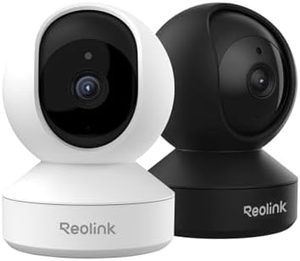
→ Read our full Reolink E1 Pro review (Pan/tilt + local SD storage)
5MP resolution (2560×1920) — substantially more detail than 2K 1080p rivals — with a 355° pan and 50° tilt covering an entire room from a single mount point. MicroSD local storage is included without subscription, and footage can be backed up automatically to a NAS or FTP server, making it the most flexible storage option in its price range. Person and pet detection uses AI on the camera chip, with sensitivity tunable per zone.
- 5MP — more detail than standard 2K rivals
- 355° pan / 50° tilt — no blind spots
- MicroSD + NAS/FTP backup — full local control
- No subscription required
- App less polished than Eufy or Google
- No Matter/Thread support
4. TP-Link Tapo C225 — Best Budget AI Camera

→ Read our full TP-Link Tapo C225 review (AI tracking under $50)
2K resolution with Tapo's AI detection that distinguishes people, pets and vehicles for under $35 — matching cameras that cost twice as much on alert accuracy. Pan/tilt covers 360° horizontal and 114° vertical. Records to MicroSD locally; works natively with Alexa, Google Home and SmartThings without any hub. The best option for a second or third camera where budget is the priority.
- 2K + AI person/pet detection under $35
- 360° pan / 114° tilt
- Local MicroSD — no subscription
- Alexa, Google Home, SmartThings
- Privacy shutter is digital, not mechanical
- Cloud event history requires Tapo Care subscription
5. Wyze Cam v4 — Cheapest Full-Featured Camera
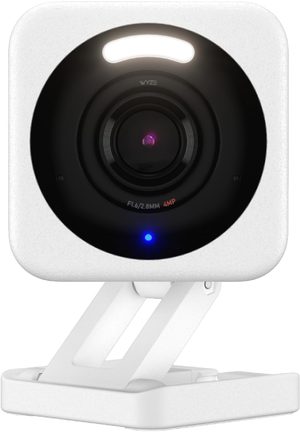
2.5K colour-night-vision camera for under $40 — the only camera at this price with a built-in colour spotlight for true colour video in complete darkness. IP65 rated so it works indoors and out. Person detection is free on the basic plan; MicroSD local recording is included. It lacks pan/tilt and the app is less polished, but the hardware value is unmatched at this price point.
- 2.5K resolution + colour spotlight under $40
- IP65 — indoor/outdoor use
- Colour night vision — not just IR greyscale
- Free person detection (no subscription required)
- Fixed lens — no pan/tilt
- App has had historical reliability issues
→ Read our full Wyze Cam v4 review (2.5K at $36, with breach caveats)
Subscription vs Local Storage
Cloud storage cameras (Ring, Nest Cam extended history) charge $3–10/month per camera to record continuously. Local storage cameras save to a MicroSD card or NAS for free. For most homes, local storage is the better deal — you own your footage, there's no recurring cost, and recordings don't stop if your internet goes down.
The one advantage of cloud: access historical footage from anywhere without setting up your own server. If you need 30 days of searchable history across multiple cameras, Nest Aware ($15/month unlimited cameras) is actually competitive. For 1–2 cameras, local storage wins on cost.
Verdict
The Eufy Indoor Cam E220 is the complete package: 2K pan/tilt, local storage, accurate AI detection and no subscription. For Google Home users, the Google Nest Cam Wired integrates more deeply and gives 3-hour free history out of the box. The Wyze Cam v4 is the pick for anyone who needs a capable second camera without spending more than $40.
Frequently Asked Questions
Do indoor security cameras invade privacy?
They can if not used thoughtfully. Best practices: place cameras in common areas only (never bedrooms or bathrooms), inform family members and houseguests, choose cameras with physical privacy shutters (Google Nest Cam Wired, Eufy Indoor Cam E220), and use motion-activated rather than continuous recording. Local-only storage (Eufy, Reolink) prevents cloud privacy concerns.
WiFi or wired indoor camera?
WiFi (Eufy Indoor Cam E220): easier installation, no cables required, but depends on WiFi reliability. Wired Power-over-Ethernet (Reolink E1 Pro PoE): more reliable, no battery management, requires ethernet cable run. For renters or simple installs: WiFi. For homeowners with permanent setups: wired.
How do I know if my camera is being hacked?
Signs: unusual LED behaviour (camera on without your action), cloud account access from unknown IPs (check app activity log), or strange device behaviour. Prevention: use strong unique passwords, enable 2-factor authentication, keep camera firmware updated, use cameras with local-only storage (Eufy, Reolink) rather than cloud-dependent (Ring). The Eufy Indoor Cam E220 has full encryption and no cloud requirement.
Do indoor cameras work in the dark?
Yes — all premium indoor cameras (Eufy Indoor Cam E220, Google Nest Cam Wired, Reolink E1 Pro) have infrared night vision that works in complete darkness. Some have colour night vision with low-light enhancement when there's minimal ambient light. Quality of night vision matters: look for 1080p+ night vision resolution and at least 8m IR range.