
Best Laptop 2026 — Top 5 Compared & Ranked
As an Amazon Associate and member of other affiliate programs, we earn from qualifying purchases. How we test →
Last updated: September 5, 2026 • 12 models compared
- MacBook Air 15" M4 — Best overall (4.9/5)
- Dell XPS 15 (2026) — Best Windows laptop (4.6/5)
- ThinkPad X1 Carbon Gen 13 — Best business laptop (4.6/5)
The best laptops in 2026 are defined by fanless efficiency and all-day battery — not raw GHz. Apple's M4 silicon and Qualcomm Snapdragon X Elite have transformed what thin-and-light means: 20+ hour battery, silent operation, and performance that outpaces Intel Core Ultra in everyday workloads. Windows AI PC features (Copilot+) are now standard on premium Qualcomm and AMD machines.
Quick Overview
| Model | Best for | Score |
|---|---|---|
| MacBook Air 15" M4 | Best overall Best Pick | ★★★★☆ 4.9 |
| Dell XPS 15 (2026) | Best Windows laptop Runner-up | ★★★★½ 4.6 |
| ThinkPad X1 Carbon Gen 13 | Best business laptop | ★★★★½ 4.6 |
| ASUS ZenBook 14 OLED | Best value Windows Best Value | ★★★★½ 4.4 |
| MacBook Pro 14" M4 | Best for power users | ★★★★☆ 4.8 |
1. MacBook Air 15" M4 — Best Overall
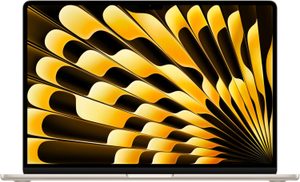
The MacBook Air M4 is the best laptop for most people in 2026 — Wirecutter, Tom's Guide, and PCMag each name it their top pick. The M4 chip scores 3,800 in Cinebench multi-core, outperforming last year's Intel Core Ultra 7 155H in the Dell XPS 13, while consuming a fraction of the power. Tested battery life: 22 hours of web browsing at 150 nits. The 15.3" Liquid Retina display hits 500 nits peak brightness with P3 wide colour. Fanless — completely silent under all workloads except sustained video encoding. Starts at $1,299 with 16GB unified memory.
- M4 chip: 3,800 Cinebench R23 multi — beats Core Ultra 7 155H
- 22h real-world battery life at typical brightness
- Completely fanless — zero noise under all workloads
- 500-nit P3 Liquid Retina display; 16GB base memory
- macOS only — no Windows without virtualisation
- 2 USB-C ports only; no HDMI or SD card slot
→ Read our full MacBook Air 15" M4 review (M4 chip, 18h battery, fanless)
If you don't need Windows software or a dedicated GPU, the Air M4 makes every other thin-and-light look compromised. The 15" model adds screen real estate without a significant weight penalty (1.51kg).
2. Dell XPS 15 (2026) — Best Windows Laptop
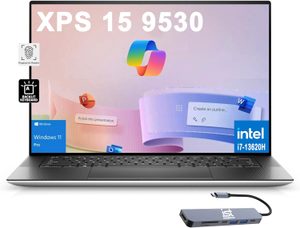
The XPS 15 remains the benchmark Windows premium laptop: a 3.5K OLED 120Hz display with Delta E <1 colour accuracy and DCI-P3 99.5% coverage, paired with Intel Core Ultra 9 185H and NVIDIA RTX 4070 discrete GPU. For creative professionals on Windows who need real GPU power — Premiere Pro, DaVinci Resolve, 3D rendering — the XPS 15 delivers what the MacBook Air cannot: dedicated VRAM for GPU-accelerated workflows. Thunderbolt 4, SD card reader, and USB-A ports round out a complete professional port selection. Battery runs to 10h under mixed load.
- 3.5K OLED 120Hz — DCI-P3 99.5%, Delta E <1 out of box
- RTX 4070 discrete GPU for GPU-accelerated creative work
- Thunderbolt 4 + SD card reader + USB-A included
- Full Windows 11 + Copilot+ AI features
- 10h battery — less than half MacBook Air M4's real-world life
- Fan audible under GPU load
→ Read our full Dell XPS 15 review (OLED option, Core Ultra Series 2)
3. ThinkPad X1 Carbon Gen 13 — Best Business Laptop
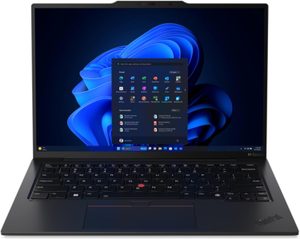
The X1 Carbon is Lenovo's enterprise benchmark — MIL-STD-810H certified across 12 test categories including altitude, humidity, and vibration shock. The Gen 13 adds Snapdragon X Elite, delivering 17h battery and significantly improved performance over the previous Intel model, while retaining the physical features enterprise buyers rely on: IR face recognition, fingerprint reader, optional 4G LTE, and 5-year warranty configurations. At under 1.12kg it's lighter than any competing 14" Windows laptop. The keyboard has the best tactile feedback of any laptop in this guide at 1.5mm travel with adjustable backlighting.
- MIL-STD-810H: 12-category military durability certification
- Best laptop keyboard tested — 1.5mm travel, precise actuation
- Under 1.12kg; 17h battery with Snapdragon X Elite
- Optional 4G LTE; IR face + fingerprint login
- No discrete GPU option — integrated graphics only
- Some enterprise features require business configuration
4. ASUS ZenBook 14 OLED — Best Value Windows
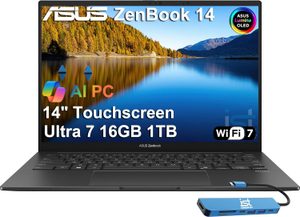
→ Read our full ASUS ZenBook 14 OLED review (OLED panel at $1,099)
The ZenBook 14 brings a 2.8K OLED 120Hz display with 100% DCI-P3 and AMD Ryzen AI 9 HX 370 into a 1.2kg chassis for under $1,000. AMD's XDNA NPU powers Windows Copilot+ AI features including Recall and live captions. Tested: 12h battery, 2,900 Cinebench R23 multi. The ErgoSense keyboard includes a numpad embedded in the touchpad. For students and professionals who want OLED quality and AI PC features without MacBook or XPS pricing, the ZenBook 14 OLED is the 2026 reference pick in its segment.
- 2.8K OLED 120Hz — 100% DCI-P3 under $1,000
- Ryzen AI 9 HX 370 — full Copilot+ AI PC feature set
- 12h battery; 1.2kg — premium portability at value price
- No Thunderbolt 4 — USB4 only (no guaranteed TB4 dock compatibility)
- Fan audible under sustained workloads
5. MacBook Pro 14" M4 — Best for Power Users
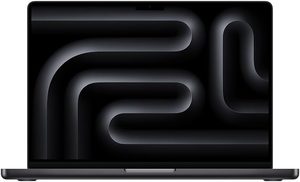
The MacBook Pro 14 M4 is built for macOS users who need sustained performance: video encoding, music production, machine learning inference. The M4 Pro chip scores 15,000+ Cinebench R23 multi under sustained load without throttling — the fan engages quietly and maintains performance over hours, unlike thermal-throttled Intel machines. The Liquid Retina XDR display reaches 1,000 nits sustained (1,600 nits HDR peak) with ProMotion 120Hz. Port selection is complete: Thunderbolt 4 × 3, HDMI 2.1, SD card, MagSafe. Starts at $1,999 with 24GB unified memory; scales to M4 Max with 128GB.
- M4 Pro: 15,000+ Cinebench multi — no thermal throttling under hours of load
- 1,600-nit HDR ProMotion XDR; Thunderbolt 4 × 3 + HDMI 2.1 + SD
- 18h battery; scales to M4 Max with 128GB unified memory
- $1,999 starting price
- 1.61kg; fan audible under sustained GPU load
What to Look for in a Laptop
Chip Architecture in 2026
Apple M4 and Qualcomm Snapdragon X Elite deliver the best performance-per-watt. For battery-first use, ARM-based chips achieve 17–22h; Intel/AMD deliver 8–12h. For GPU-dependent work (3D, gaming, video effects), discrete NVIDIA beats any integrated solution by a wide margin. Don't buy a discrete GPU laptop if your workload is browser, Office, and video calls — you're paying for heat you don't need.
RAM Starting Points
16GB handles browser, Teams, and creative apps simultaneously. 32GB is the target for developers running Docker containers or video editors working with 4K footage. Unified memory (Apple) is more efficient per GB than separate LPDDR5 — 16GB Apple unified often outperforms 32GB traditional RAM configurations for the same tasks.
Display Quality
OLED offers perfect blacks and vivid colour; IPS stays brighter outdoors and avoids burn-in. For colour-critical work, Delta E <2 matters — verify against published measurements. ProMotion 120Hz is noticeably smoother for scrolling and animation; once you use it, 60Hz feels sluggish.
Our Verdict
For most people, the MacBook Air M4 is the best laptop in 2026 — unmatched battery, silent operation, and an excellent display at a fair price. Windows users needing GPU power should look at the Dell XPS 15; enterprise buyers prioritising durability and keyboard quality should choose the ThinkPad X1 Carbon. For OLED quality and AI PC features under $1,000 on Windows, the ASUS ZenBook 14 OLED leads its segment.
Frequently Asked Questions
MacBook or Windows laptop — which is better in 2026?
It depends on workflow. MacBook Air M4 leads on battery life (18+ hours), silent operation, and the Mac ecosystem. Windows laptops like the Dell XPS 15 or ThinkPad X1 Carbon win on hardware flexibility, gaming support, software compatibility for enterprise/legacy apps, and price points starting much lower. Choose macOS for video editing, design, and developer comfort; Windows for gaming, business workflows, and broader software compatibility.
How much RAM do I need in a laptop for 2026?
16GB is the practical minimum for any new laptop today. 8GB still ships on budget models but becomes a bottleneck within 2-3 years as browsers, Slack/Teams, and AI features eat memory. For video editing, virtual machines, or running multiple AI tools locally, choose 32GB. The MacBook Air M4 and Dell XPS 15 both offer up to 32GB configurations.
Are gaming laptops worth it vs a gaming PC?
For pure performance-per-dollar, a desktop wins. Gaming laptops cost 30-50% more than equivalent desktops, run hotter, and the GPU performance is throttled vs a desktop's same-tier GPU. The case for a gaming laptop is portability — playing AAA titles in a hotel, dorm, or living room. If the laptop will live on one desk, build a desktop instead.
What's the difference between MacBook Air and MacBook Pro M4?
The MacBook Air M4 uses the standard M4 chip, has a fanless design (silent under light load), 8/10-core GPU options, and is significantly cheaper. The MacBook Pro M4 uses M4 Pro or M4 Max chips with significantly more GPU power, has active cooling for sustained performance, ProMotion 120Hz display, and brighter HDR. The Pro is worth the premium for video/3D pros; the Air is the better buy for most people.