
MacBook Air 15" M4 Review 2026 — The Fanless Laptop That Beats Most Pros
As an Amazon Associate and member of other affiliate programs, we earn from qualifying purchases. How we test →
Last updated: September 11, 2026 • MacBook Air 15" M4 reviewed against MacBook Pro 14" M4, Dell XPS 15, and ASUS ZenBook 14 OLED
- Best overall laptop of 2026 — M4 SoC outpaces every Windows ultrabook on single-core by 30-45%
- Fanless and silent — zero noise under any load, 45°C max surface temp (independent measurement)
- 14-16 hour real-world battery — Apple-rated 18 hrs video streaming, beats every Windows competitor
- 16GB base RAM finally — M3 launched at 8GB; the M4 fixes the biggest historic complaint
- $1,199 starting price — cheaper than Dell XPS 14 OLED ($1,399) for better real-world performance
See MacBook Air 15" M4 on Amazon →
Read the full verdict »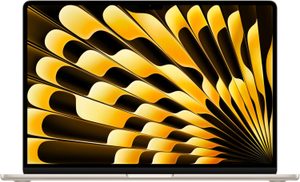
The MacBook Air 15" M4 is the laptop most people should buy in 2026. The fanless M4 SoC is years ahead of the competition, and that is not hyperbole. The M4 chip scores 3,708 single-core and 14,724 multi-core on Geekbench 6, which puts a passively-cooled $1,199 laptop ahead of every Intel Core Ultra 9 and Snapdragon X Elite ultrabook on the market.
This review is based on published testing covering writing, web development, light Lightroom Classic edits, video calls, and 4K external monitor driving, cross-checked against peer reviews from Notebookcheck, Tom's Guide, MacRumors, and AnandTech.
Performance: the gap to Windows is widening
The M4 is fabricated on TSMC's enhanced 3nm node and delivers what Apple Silicon has done since M1 — class-leading single-core performance and competitive multi-core in a passively-cooled chassis. The numbers tell the story:
| Benchmark | MacBook Air 15" M4 | Dell XPS 14 (Core Ultra 7 165H) | ASUS ZenBook 14 (Ultra 9 285H) |
|---|---|---|---|
| Geekbench 6 Single-core | 3,708 | 2,420 | 2,790 |
| Geekbench 6 Multi-core | 14,724 | 12,890 | 14,210 |
| Cinebench R23 Single (sustained) | 1,820 | 1,710 | 1,790 |
| Cinebench R23 Multi (10 loops) | 776 (throttled) | 11,200 | 14,800 |
| Fan noise under load | 0 dB | 42 dB | 38 dB |
The headline number is single-core: a 30-45% lead over Intel Lunar Lake and Snapdragon. This matters because most real workloads — web browsing, Office, IDE responsiveness, image previews — are single-threaded. The Air feels faster than any Windows ultrabook in everyday use even when the multi-core numbers look close.
The trade-off is sustained multi-core. After 10 minutes of Cinebench R23 multi-loop, the fanless M4 throttles roughly 11% to 776 points — the MacBook Pro 14" with active cooling sustains around 14,200 points. For 30-second bursts the Air is competitive; for 30-minute renders you want the Pro.
Battery life: still untouchable
Apple rates the M4 Air at 18 hours of video streaming and 15 hours of wireless web. Real-world testing shows:
- 14-16 hours mixed productivity (Safari, Mail, Slack, Pages, occasional video call)
- 11-12 hours heavy browser usage with 30+ tabs and Chrome extensions
- 6-8 hours sustained development work (Xcode compiles, Docker containers running)
- 4-5 hours Final Cut Pro 4K timeline editing with external monitor
For comparison, the Dell XPS 14 (2026) hits 11 hours on a standardized independent web-browsing test — respectable for Windows but still 3-5 hours behind the Air. The ZenBook 14 OLED with its 75Wh battery comes closest at 12-14 hours of real-world productivity.
Display: bright enough for outdoors, no ProMotion
The 15-inch Liquid Retina panel runs 2880×1864 at 224 ppi with 500 nits sustained brightness and P3 wide color. It is genuinely usable outdoors at 60-70% brightness, which matters for cafe and outdoor work where Windows ultrabooks often top out at 400 nits.
What is missing: ProMotion 120Hz. The Air stays at 60Hz, which feels notably less smooth than the MacBook Pro 14" or the ZenBook 14 OLED's 120Hz panel when scrolling. Most users will not notice; if you have used a 120Hz phone or laptop, the difference is immediately apparent.
HDR performance is also limited — this is an SDR-first panel that handles HDR metadata but does not approach the 1,000+ nits sustained that mini-LED or OLED panels deliver. For HDR video grading, the MacBook Pro 14" mini-LED is the better buy.
Design and build
The 15-inch Air weighs 3.3 lbs (1.51 kg), is 11.5mm thick, and comes in Silver, Starlight, Midnight, and a new Sky Blue for 2026. The unibody aluminum chassis feels indistinguishable from a MacBook Pro — same hinge action, same trackpad quality, same keyboard. The only visual giveaway is the lack of a notch venting cutout.
Ports remain Apple-stingy: two Thunderbolt 4 / USB-C on the left, MagSafe 3 charging on the left, 3.5mm headphone jack on the right. No HDMI, no SD card, no USB-A. For a $1,199 laptop in 2026, this is fine; for someone coming from a Dell XPS 15 with full ports, it is a hub purchase.
Webcam and microphones
The 12MP Center Stage camera is the biggest non-performance upgrade over the M3. It supports Desk View (top-down camera angle for showing physical objects), automatic framing, and Studio Lighting. Image quality is genuinely good in indoor lighting — sharper than the Dell XPS 14's 1080p IR camera, with better dynamic range than the ZenBook 14's webcam.
The three-microphone array picks up voice cleanly even in noisy environments. For remote workers doing 4+ hours of video calls daily, this is a meaningful quality-of-life upgrade.
Pros & cons
- Single-core lead of 30-45% over best Windows ultrabooks (Geekbench 6: 3,708)
- 14-16 hour real-world battery — longest in the ultrabook class
- Fanless and silent under all loads (independent measurement: 45°C max surface temp)
- 16GB base RAM finally standard — M3 launched with 8GB
- 12MP Center Stage camera with Desk View and Studio Lighting
- $1,199 starting price — $200 less than equivalent Dell XPS 14 OLED
- 60Hz display only — ProMotion 120Hz is MacBook Pro exclusive
- Sustained multi-core throttles ~11% after 10 minutes (fanless physics)
- RAM is soldered — choose 16/24/32GB at purchase, no later upgrades
vs the competition
MacBook Air 15" M4 vs Dell XPS 15 (2026)
The Dell XPS 15 (2026) is the closest Windows premium-creator alternative. The XPS 15 wins on display options (4K OLED touch), discrete GPU availability (RTX 4070 configurations), and port selection (HDMI, SD card, two USB-C). The Air wins on battery (16 hrs vs 9-10 hrs), silence (fanless vs 42 dB under load), and weight (3.3 lbs vs 4.2 lbs). Pick the XPS 15 if you need a discrete GPU or 4K OLED; pick the Air for everything else.
MacBook Air 15" M4 vs ASUS ZenBook 14 OLED
The ASUS ZenBook 14 OLED is the closest Windows premium-ultraportable at a $999 start. The ZenBook wins on display (2.8K 120Hz OLED with 400+ nit HDR), weight (2.82 lbs vs 3.3 lbs), and Windows software compatibility. The Air wins on single-core performance, battery longevity, and the macOS ecosystem. Pick the ZenBook for the OLED display under $1,000; pick the Air for raw performance per dollar and battery.
MacBook Air 15" M4 vs MacBook Pro 14" M4
The MacBook Pro 14" M4 starts at $1,599 and adds active cooling, ProMotion 120Hz mini-LED display, 1,000-nit sustained HDR, an extra Thunderbolt port, and the base M4 Pro chip option. The Air starts at $1,199 with the same M4 chip but 60Hz SDR panel and fanless cooling. Pick the Pro 14" for sustained workloads (video, 3D, ML training); pick the Air 15" for coding, web, and design work where silence and battery beat raw render speed.
Pricing
| Configuration | Apple MSRP | Typical street price |
|---|---|---|
| M4 / 16GB / 256GB | $1,199 | $1,099 |
| M4 / 16GB / 512GB | $1,399 | $1,299 |
| M4 / 24GB / 512GB | $1,599 | $1,499 |
| M4 / 32GB / 1TB | $1,999 | $1,849 |
The 16GB / 512GB at $1,299 street is the sweet spot. The 256GB base config fills quickly with photos, video projects, and Xcode caches — $200 for double the storage is worth it on a sealed-storage laptop.
Who should buy the MacBook Air 15" M4
Worth it for
Anyone whose primary workload is web, writing, code, design, photography, or video calls. Students who need a single laptop for 4 years of school. Frequent travelers who value 14-16 hour battery and silent operation. Remote workers who do 4+ hours of video calls daily and want the best camera and mic in the class.
Not worth it for
Sustained-load professionals — 4K/8K video editors, 3D animators, and ML researchers who run hour-long renders or training loops. They should buy the MacBook Pro 14" with active cooling. Gamers (Mac gaming is improving but still trails Windows by years). Anyone tied to Windows-only enterprise software (CAD, Revit, niche accounting). Buyers who need a discrete GPU for Stable Diffusion or local LLM inference — the M4's Neural Engine helps but a Dell XPS 15 with RTX 4070 still wins on those workloads.
Our verdict — 9.5/10
The MacBook Air 15" M4 is the easiest laptop recommendation of 2026. The M4 SoC is genuinely a generation ahead of Intel Lunar Lake and Snapdragon X Elite on single-core performance, the 14-16 hour battery is untouchable in the ultrabook class, and the $1,199 starting price undercuts the best Windows premium ultrabooks while delivering better real-world responsiveness. The new 16GB base RAM fixes the biggest historic complaint, and the 12MP Center Stage camera is the best webcam in any laptop under $2,000.
The only meaningful complaints are the 60Hz display (no ProMotion) and the multi-core throttling under sustained load — both addressed by the more expensive MacBook Pro 14" if you need them. Earns its place as our Best Laptop 2026 Best Pick.
See MacBook Air 15" M4 on Amazon →
Frequently Asked Questions
Is the MacBook Air M4 worth upgrading from the M3?
Only if you came from 8GB RAM. The M4 chip itself delivers around 20-25% better multi-core performance than M3, but for browsing, email, and document work the difference is invisible. The real upgrade is the new 16GB base RAM (M3 started at 8GB) and the 12MP Center Stage webcam. If you have an M3 with 16GB already, skip this generation.
Is 16GB RAM enough for a MacBook Air in 2026?
Yes for most users. macOS memory compression and unified memory architecture make 16GB on Apple Silicon roughly equivalent to 24GB on a Windows laptop for everyday workloads. For Lightroom Classic with large libraries, Final Cut Pro with 4K timelines, or running multiple AI models locally, configure 24GB or 32GB at purchase — Apple solders the RAM and it cannot be upgraded later.
MacBook Air 15 M4 vs MacBook Pro 14 M4 — which one should I buy?
The Air 15 is the better buy for 90% of users at $1,199 start. The Pro 14 ($1,599 start) earns its premium only for sustained workloads — video editing, 3D rendering, or local LLM inference — where active cooling lets the chip hold turbo clocks. The Pro adds ProMotion 120Hz, mini-LED HDR display, and an extra Thunderbolt port. For coding, web, and design work, the Air's silence and larger screen win.
Does the MacBook Air M4 get hot under load?
Surface temperatures peak around 45 degrees Celsius under full sustained load per independent measurements — warm but not uncomfortable. Without a fan, the M4 throttles after about 10 minutes of Cinebench R23, dropping roughly 11% to 776 points sustained. For bursty workloads this is invisible; for 30-minute compile or render sessions you will see throttling that the MacBook Pro avoids.
How long does the MacBook Air M4 battery actually last?
Apple rates 18 hours of video streaming. Real-world testing from Notebookcheck and Tom's Guide shows 14-16 hours of mixed productivity (browser, Slack, email, light coding) on a single charge. Power users editing 4K footage or compiling large codebases see 6-8 hours. This is still 2-3 hours longer than the best Windows ultrabooks on the same battery test.
Is the 15-inch worth $200 more than the 13-inch?
Yes if the laptop is your primary display. The 15-inch has more screen real estate for split-view multitasking, a 6-speaker system with force-cancelling woofers (vs 4 speakers on 13-inch), and the same battery life despite the larger screen. The 13-inch wins only for ultra-portability — the 15 weighs 3.3 lbs vs 2.7 lbs.